Make Background White Online – Free
CleanWhiteBG replaces photo backgrounds with a clean white bg or transparency — free preview, no signup.
Drop images or a ZIP here — or click to upload
JPG, PNG, WebP · Batch up to 50 images · Max 10MB each
ZIP and batch upload require credits — free users can process one image at a time.
Standard: automatic background removal in the cloud.
Free, watermark-free downloads up to 480px with no signup. Sign in to unlock 3 full-resolution Standard results per UTC day for free (up to 2048px on the long side). Batch processing requires credits.
How to Make Photo Background White
Upload
Upload any photo — JPG, PNG, or WebP
AI Transform
AI removes the background and replaces it with pure white — automatically in the cloud
Inspect and download
Compare the result with your original. Free previews are up to 480px; sign in for 3 free Standard unlocks per UTC day, up to 2048px on the long side.
Before & After
These examples were produced in Quality mode without manual retouching. Drag a slider to compare. Results vary by photo; inspect labels, color and fine edges before using an output.
Product Photos


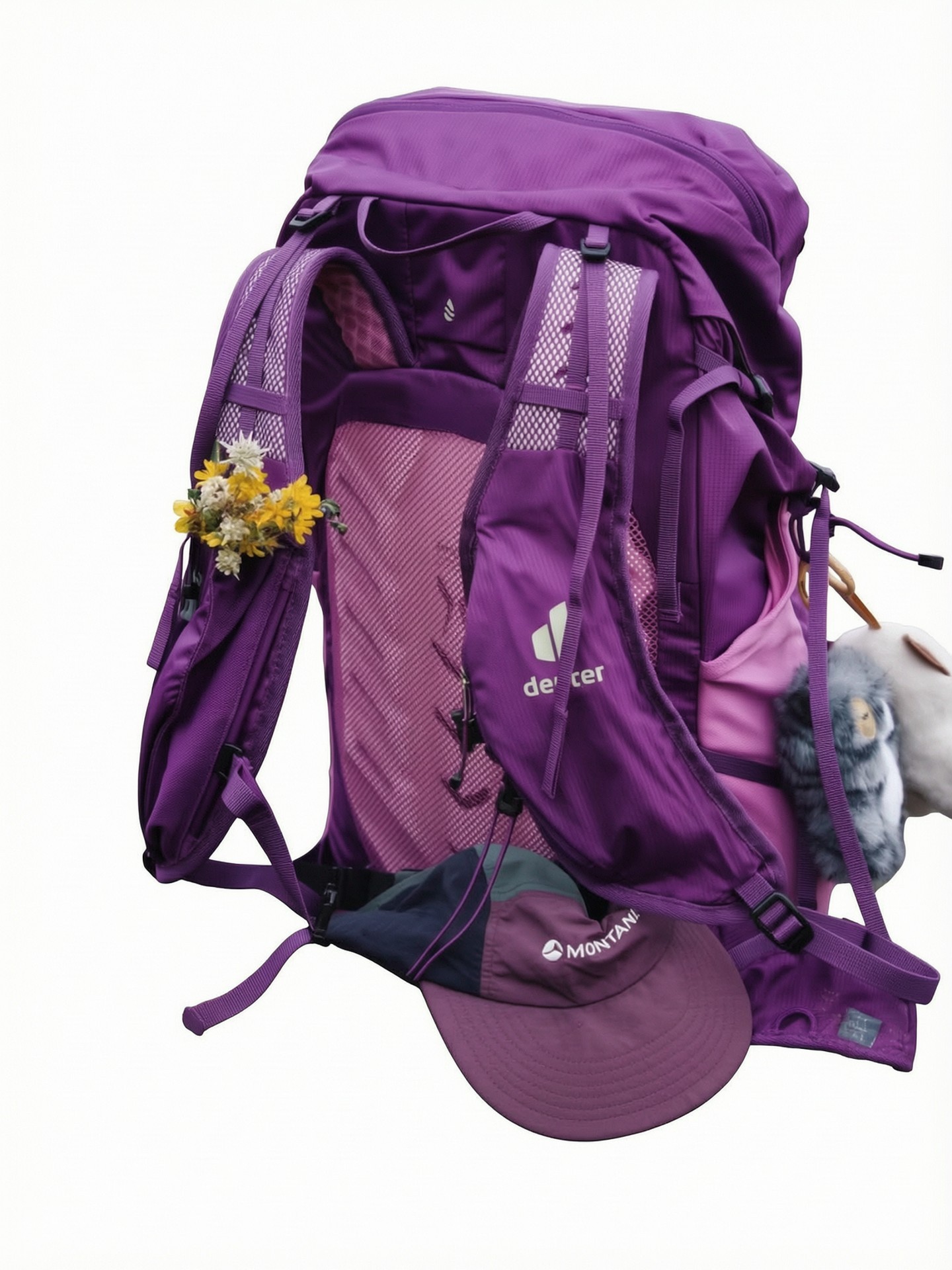
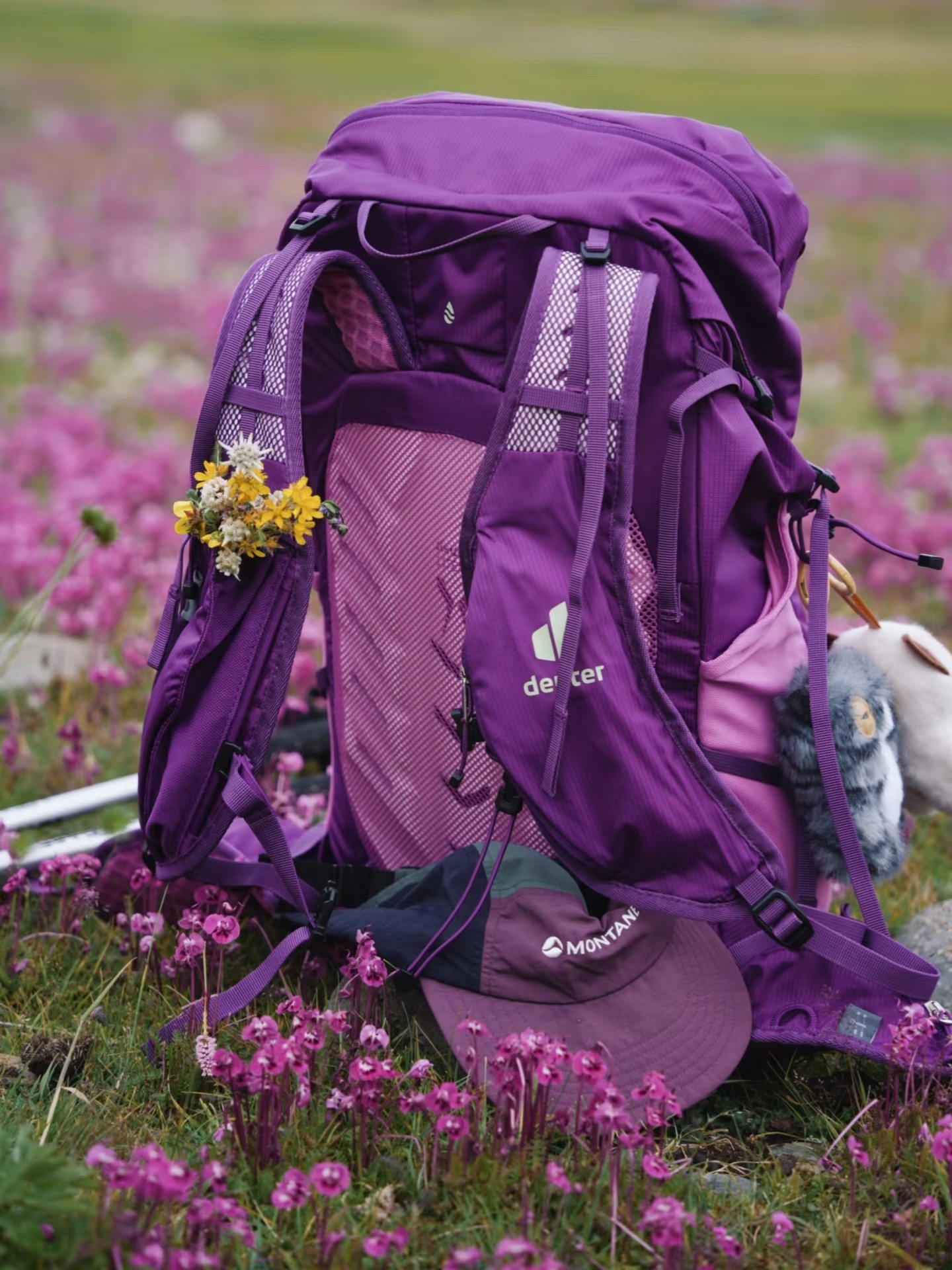


People & Portraits


Choose the right workflow
Standard: background removal
Automatic background removal on our cloud infrastructure. Start here for everyday product photos, then inspect the edges before publishing.
Quality: generative editing
Quality uses generative AI to clean up overlaid text and enhance detail as well as replace the background. It may change labels, colors, textures or shapes. Check the result against the original before publishing, especially for product listings. Only process images you own or have permission to edit.
Free previews, clear limits
Download watermark-free previews up to 480px on the long side with no signup. Sign in to unlock 3 full-resolution Standard results per UTC day for free. This allowance applies to single images, not batches. Full-resolution results are up to 2048px on the long side.
Cloud processing and privacy
We temporarily store images on Cloudflare to process your request. Standard runs on our Cloudflare-hosted service; Quality also sends your image to Alibaba Cloud's DashScope service. We do not sell your images or use them to train our own AI models. Third-party processing is subject to the provider's terms.
Original uploads and working previews are scheduled for cleanup after 2 hours from task creation. Downloadable results, including free downloads and locked full-resolution copies, are scheduled for cleanup after 7 days, or earlier after a full-resolution download is reported. Cleanup is periodic, not instant; save a local copy of any result you need. Read the privacy policy.
Use Cases
Selling on marketplaces? Use the product photo workflow to keep white backgrounds consistent across a catalog. Check each platform's current image spec, since background rules are only one requirement.
Frequently Asked Questions
How to make background white?
▾
Upload your photo, choose Standard or Quality, and process it with White Background selected. CleanWhiteBG replaces the original background with a clean white bg in the cloud. Review the edges and background before downloading or publishing.
Can I get a transparent background instead of white?
▾
Yes. Before processing, open the Output dropdown and choose Transparent Background. The result downloads as a PNG with transparency; white-background results download as JPG.
Can I change background to white for free?
▾
Download watermark-free previews up to 480px on the long side with no signup. Sign in to unlock 3 full-resolution Standard results per UTC day for free. This allowance applies to single images, not batches. After the daily Standard unlock allowance, a Standard full-resolution unlock costs 1 credit. Quality full-resolution processing or unlocking costs 3 credits; up to 10 Quality previews per UTC day are available on the free processing path. Batch processing always requires sign-in and credits.
Is the free download full resolution?
▾
The free preview download is up to 480px on the long side. Signed-in users can unlock 3 Standard results per UTC day for free on single images. Additional Standard unlocks cost 1 credit; Quality processing or unlocking costs 3 credits. Full-resolution output is limited to 2048px on the long side in both modes. "Full resolution" means the processed result within this limit, not the original upload at any size. White-background results download as JPG; transparent results as PNG.
How to add white background without Photoshop?
▾
Upload your image to CleanWhiteBG and process it in your browser, without installing an editor. Processing takes place on cloud servers, not locally on your device.
What image formats are supported?
▾
We support JPG, PNG, and WebP images up to 10MB each. For batch processing you can also upload a ZIP containing these image types; unsupported files inside are skipped and not charged.
Can I use CleanWhiteBG as a bulk background remover?
▾
Yes. Process up to 50 Standard or 20 Quality images per batch, including ZIP uploads. Batch processing requires sign-in and credits; the free daily Standard allowance applies only to single-image unlocks.
How does batch processing work?
▾
Select multiple images or a ZIP, review the original-image list and credit cost, then confirm. Wait until uploads finish before closing the tab. Download successful results as one ZIP; credits for technically failed jobs are refunded.
How do credits work, and do I need a monthly subscription?
▾
No subscription is required. Paid Standard processing costs 1 credit per image; Quality costs 3. One-time credit packs start at $1.9 (6 credits) or $9 (60 credits, $0.15 per Standard image) and never expire. Optional monthly plans start at $9/mo (80 credits/month) and go down to ~$0.04 per Standard image on Business ($99/mo for 2,500 credits/month), resetting each billing period. Failed processing jobs are refunded automatically.
What happens if I close the page while processing?
▾
Wait until all uploads finish before closing the tab. Closing it during upload can interrupt the job. After upload, processing can continue on our servers; signed-in users can receive completion links by email. Anonymous users should keep the page open or save their result link to return to it.
Is it safe to upload my photos?
▾
We temporarily store images on Cloudflare to process your request. Standard runs on our Cloudflare-hosted service; Quality also sends your image to Alibaba Cloud's DashScope service. We do not sell your images or use them to train our own AI models. Third-party processing is subject to the provider's terms. Original uploads and working previews are scheduled for cleanup after 2 hours from task creation. Downloadable results, including free downloads and locked full-resolution copies, are scheduled for cleanup after 7 days, or earlier after a full-resolution download is reported. Cleanup is periodic, not instant; save a local copy of any result you need.
How long does it take to change background to white?
▾
Processing time varies with image complexity, mode and service load. Allow extra time for upload and larger batches. We do not guarantee a fixed completion time; wait for the result before closing an anonymous session.
What is the difference between Standard and Quality mode?
▾
Standard removes the background while keeping your subject's original pixels (1 credit after the daily free allowance). Quality (3 credits) also performs generative cleanup and enhancement. Quality uses generative AI to clean up overlaid text and enhance detail as well as replace the background. It may change labels, colors, textures or shapes. Check the result against the original before publishing, especially for product listings. Only process images you own or have permission to edit.
Can it remove watermarks or text from my photo?
▾
Quality attempts to remove overlaid text and watermarks, including overlays on the subject. It is instructed to preserve product branding, but may change or remove details unintentionally. Only process images you own or have permission to edit. Standard does not remove overlays on the subject. Removing an existing watermark is different from our watermark-free downloads: CleanWhiteBG does not add a watermark to exported results.
Can it fix blurry or low-quality images?
▾
Quality can enhance a soft image, but generative enhancement may change texture or introduce inaccurate details. It cannot guarantee recovery of missing information. Compare the result with the original, especially when accurate product labels and materials matter.
Processing a whole catalog? See the bulk white background remover.
Simple pricing
Download watermark-free previews up to 480px on the long side with no signup. Sign in to unlock 3 full-resolution Standard results per UTC day for free. This allowance applies to single images, not batches.
After the daily Standard unlock allowance, a Standard full-resolution unlock costs 1 credit. Quality full-resolution processing or unlocking costs 3 credits; up to 10 Quality previews per UTC day are available on the free processing path. Batch processing always requires sign-in and credits.
Full-resolution output is limited to 2048px on the long side in both modes. "Full resolution" means the processed result within this limit, not the original upload at any size. White-background results download as JPG; transparent results as PNG.
Starter Pack
$1.9
6 credits · never expire
6 full-resolution Standard images (~$0.32/image) or 2 Quality-mode images.
Standard Pack
Popular$9
60 credits · never expire
60 full-resolution Standard images ($0.15/image) or 20 Quality-mode images.
Bulk Pack
$49
600 credits · never expire
600 Standard images (~$0.08/image) or 200 Quality-mode images — ideal for e-commerce catalogs.
Value Pack
$99
1,500 credits · never expire
Our largest pack — 1,500 Standard images (~$0.07/image) or 500 Quality-mode images.
One-time payment — no subscription required.
Basic
$9/mo
80 credits / month · resets each period
80 full-resolution Standard images (~$0.11/image) or 26 Quality-mode images.
Plus
$29/mo
300 credits / month · resets each period
300 full-resolution Standard images (~$0.10/image) or 100 Quality-mode images.
Pro
Best value$49/mo
1,000 credits / month · resets each period
1,000 Standard images (~$0.05/image) or 333 Quality-mode images — best value for active sellers.
Business
$99/mo
2,500 credits / month · resets each period
Our lowest unit cost — 2,500 Standard images (~$0.04/image) or 833 Quality-mode images.
Subscriptions renew monthly — cancel anytime from your account page.
Credits consumed by failed processing jobs are automatically returned to your balance.
Unused one-time credit packs are refundable when you contact us within 14 days of purchase.
Subscriptions renew monthly until cancelled. Cancellation stops future renewals at the end of the current billing period; the current period is not prorated or refunded, and credits already granted remain usable.
Like This Tool?
Rate your experience and help us improve
Love it in public? Review us on Trustpilot

 Twelve Tools
 DokeyAI
 Dang.ai
 KittyLaunch