Make Background White Online – Free & Instant
Change image background to white in one click for product photos, portraits & more
Standard: automatic background removal, up to 720p.
Free downloads up to 480px · credits unlock full resolution.
Drop images or a ZIP here — or click to upload
JPG, PNG, WebP · Batch up to 50 images · Max 10MB each
ZIP and batch upload require credits — free users can process one image at a time.
How to Make Photo Background White
Upload
Upload any photo — JPG, PNG, or WebP
AI Transform
AI removes the background and replaces it with pure white — automatically in the cloud
Download
Download your clean white-background image — free previews up to 480px, full resolution with credits
Before & After
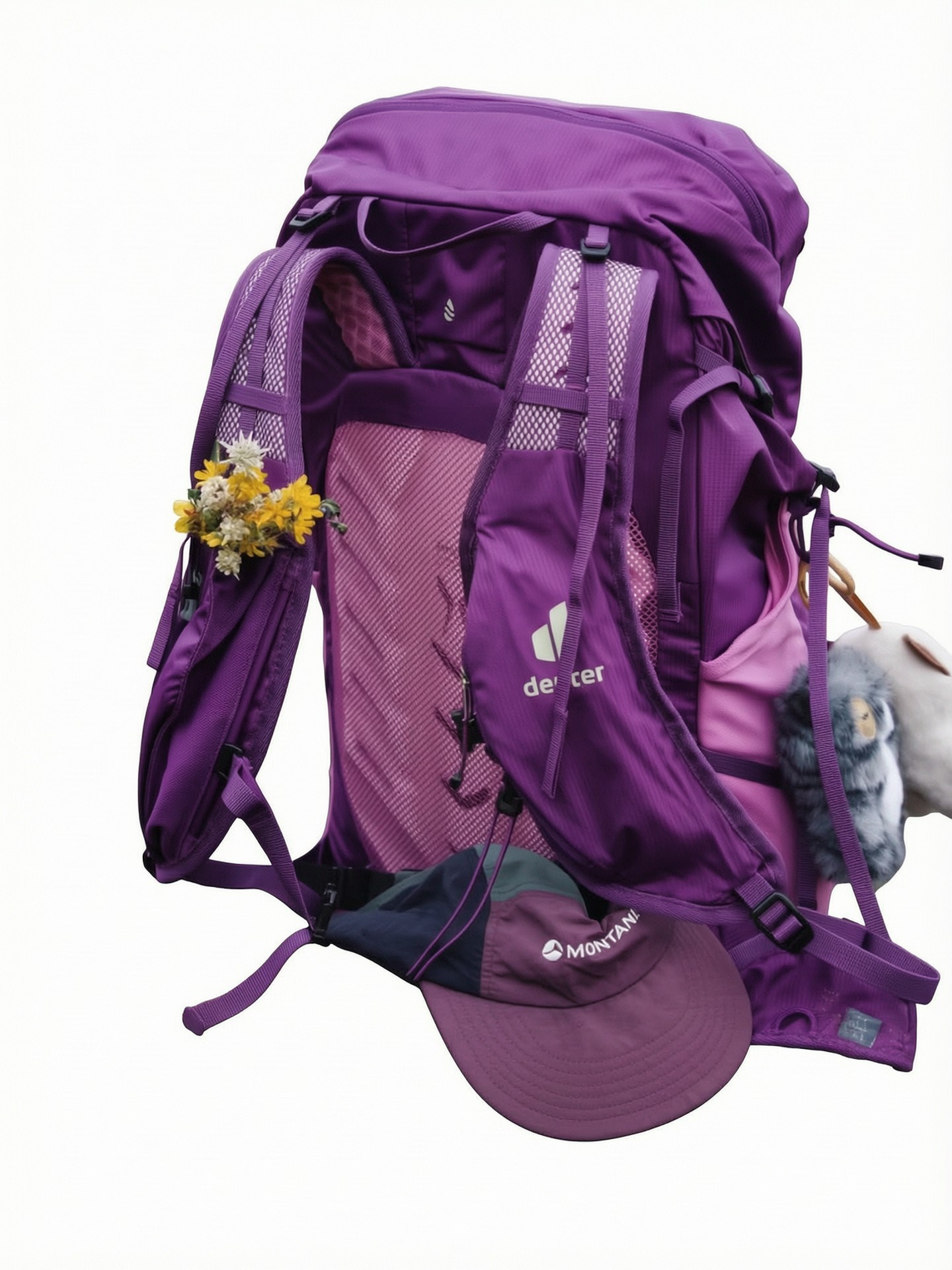
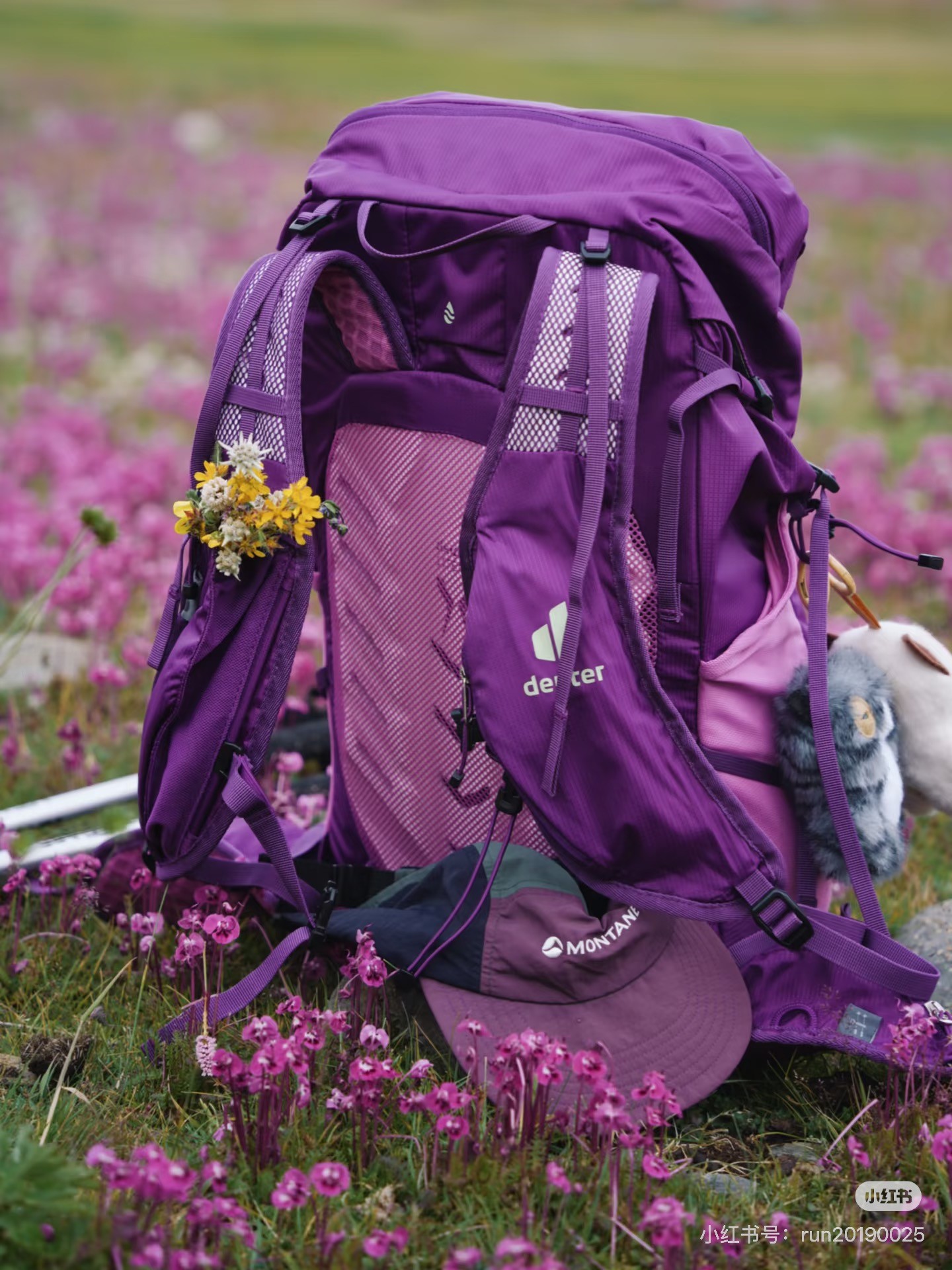
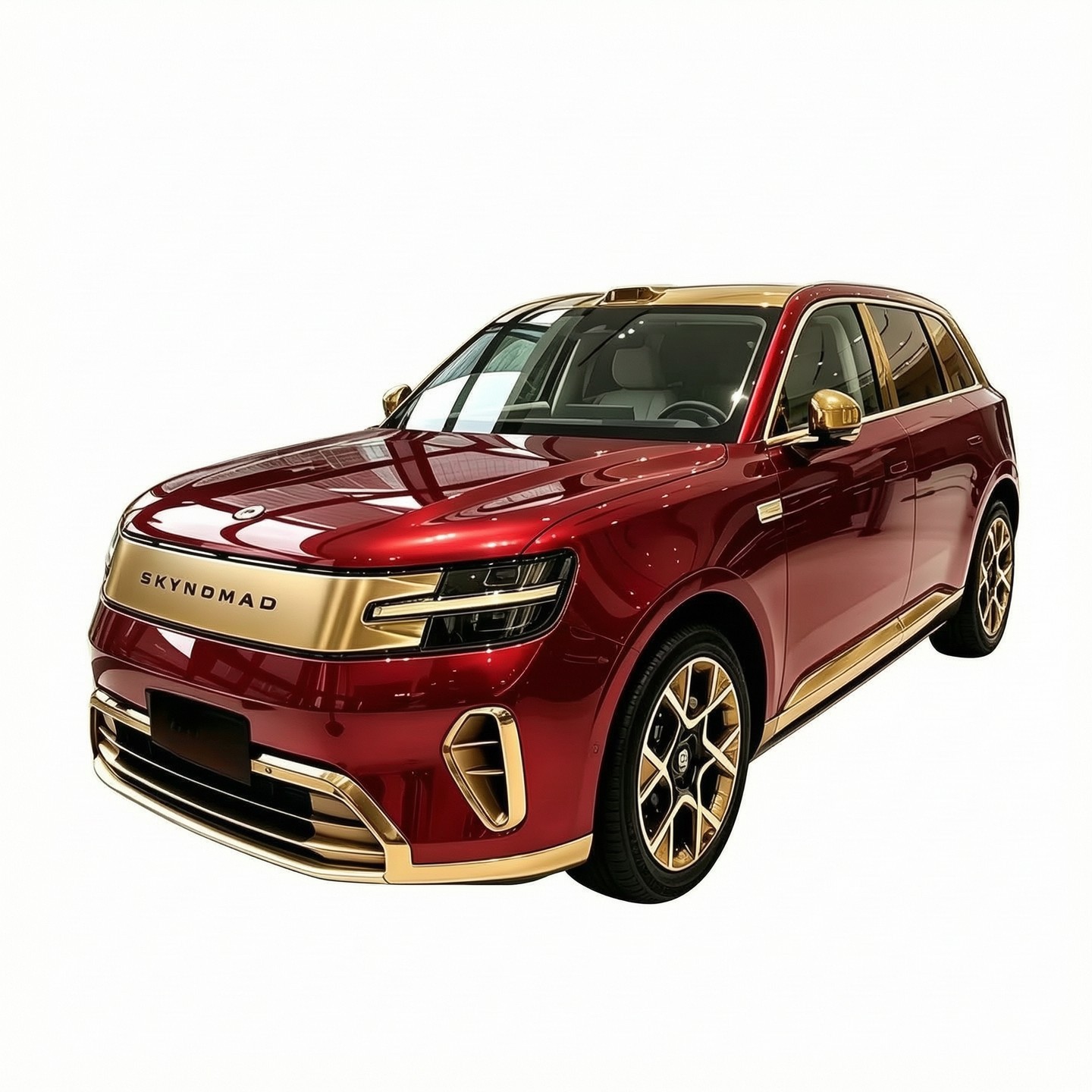
Real results on products and people — drag any slider to compare.
Product Photos



People & Portraits


Why Choose CleanWhiteBG
Standard Cloud AI (Standard Mode)
Optimized AI on our cloud removes backgrounds automatically (up to 720p) — no downloads, no signup. Free downloads come at preview resolution (up to 480px); credits unlock the full-resolution file.
Precision Cloud AI (Quality Mode)
Premium AI handles hair strands, jewelry edges, and complex shapes for the cleanest white background — with results up to 2K resolution. It also removes overlaid watermarks and text (even across the subject) and sharpens slightly blurry photos with super-resolution enhancement.
Privacy First
Every uploaded image is automatically deleted from our servers within 2 hours. We never share, store, or train on your photos.
Free & No Signup
Get clean white-background images right in your browser — no account or software install needed.
Use Cases
Create professional white background product photos for Amazon, eBay, Shopify, and Etsy. Clean product images with white backgrounds sell better and meet marketplace requirements.
Frequently Asked Questions
How to make background white?
▾
Upload your photo, select the quality (Standard or Quality), and click to process. Our AI automatically removes the original background and replaces it with pure white (#FFFFFF). No manual editing needed.
Can I get a transparent background instead of white?
▾
Yes. Before processing, open the Output dropdown in the upload area and choose Transparent Background. The AI will cut out your subject and keep it on a fully transparent layer, delivered as a PNG ready for designs, presentations, and e-commerce layouts.
Can I change background to white for free?
▾
Yes. Standard mode is free with no signup required — free downloads come at preview resolution (up to 480px on the long side). Credits unlock the full-resolution download and Quality mode; failed jobs are refunded automatically.
Is the free download full resolution?
▾
Free downloads come at preview resolution — up to 480px on the long side, and the download button shows the exact pixel size before you click. Full-resolution downloads cost credits: 1 credit per Standard image (up to 720p) and 3 per Quality image (up to 2K). Already processed an image for free? You can unlock its full-resolution version for 1 credit.
How to add white background without Photoshop?
▾
You don't need Photoshop or any editing software. Just upload your image to CleanWhiteBG, and our AI will change the background to white automatically. No downloads or plugins needed.
What image formats are supported?
▾
We support JPG, PNG, and WebP images up to 10MB each. For batch processing you can also upload a ZIP file containing these image types — unsupported files inside are skipped automatically and never charged.
Can I process multiple images at once?
▾
Yes — batch processing is built in. Drop up to 50 images (20 in Quality mode) or a ZIP containing them, then review the preview list before starting: you can remove any image and it won't be uploaded or charged. When everything is done, download all results as a single ZIP file. Note: batch processing requires credits — users without credits (including free anonymous use) can't start a batch. Free users can still process a single image at a time — free downloads come at preview resolution (up to 480px).
How does batch processing work?
▾
Add images or a ZIP to the batch panel and review the confirmation list first — remove anything you don't want (removed files are never uploaded or charged), then start. Each image is processed independently: one failure doesn't affect the rest, and failed jobs are refunded automatically. You can even close the page while it runs — processing continues on our servers, and we'll email you when everything is done. Back on the results page, click any thumbnail to preview it full-size (swipe on mobile or use arrow keys to flip through), then download all results as a single ZIP. Results remain available for 7 days.
How do credits work?
▾
Standard processing uses 1 credit per full-resolution image, Quality mode uses 3, and unlocking the full-resolution download of a previously processed image costs 1. Failed jobs are automatically refunded. Sign in to buy one-time credit packs (they never expire) or subscribe for a monthly allowance.
What happens if I close the page while processing?
▾
Nothing is lost. Our servers keep processing your images even when the tab is closed, and we'll email you a download link as soon as everything is ready. Download links are valid for 7 days — after that results are permanently deleted.
Is it safe to upload my photos?
▾
Yes. Your privacy is our priority. Uploaded images and previews are automatically deleted within 2 hours. Processed results are deleted shortly after you download them, and never kept longer than 7 days — free previews stay available for that window so you can unlock the full-resolution version whenever you want. We never share, store, or use your images for any other purpose.
How long does it take to change background to white?
▾
It depends on the image: most photos finish in under a minute, while large or complex images can take a few minutes in either mode. The real difference between modes is output — Standard mode works at up to 720p resolution, and Quality mode goes up to 2K with sharper, more detailed edges.
What is the difference between Standard and Quality mode?
▾
Standard mode uses optimized cloud AI to remove backgrounds automatically — ideal for everyday photos (up to 720p resolution). Quality mode uses premium AI that handles fine details like hair strands and jewelry edges, supporting resolutions up to 2K. Quality mode is also the one that removes overlaid watermarks and text — Standard only replaces the background, so an overlay sitting on the subject itself stays in the result.
Can it remove watermarks or text from my photo?
▾
Yes — in Quality mode. It removes overlaid watermarks and added text (platform or photographer watermarks, usernames, captions, QR codes, promo stickers, timestamps) even when they overlap the subject, rebuilding the surface underneath. It never removes branding, labels or printed graphics that belong to the product itself. Standard mode only replaces the background, so a watermark sitting on the subject stays. Watermark removal needs credits: Quality mode is 3 credits per image.
Can it fix blurry or low-quality images?
▾
Yes — Quality mode applies super-resolution enhancement, so slightly blurry subjects come back sharper and more detailed. It restores the natural detail already in your photo, but won't invent features that aren't there.
Simple pricing
Free: preview-resolution downloads (up to 480px). 1 credit = 1 full-resolution Standard image · 3 credits = 1 Quality image (up to 2K). Failed jobs are automatically refunded.
Starter Pack
$1.9
6 credits · never expire
6 full-resolution Standard images or 2 Quality-mode images.
Standard Pack
$9
60 credits · never expire
60 full-resolution Standard images or ~20 Quality-mode images.
Bulk Pack
$49
600 credits · never expire
600 Standard images or ~200 Quality-mode images — ideal for e-commerce catalogs.
Value Pack
$99
1,500 credits · never expire
Our largest pack — 1,500 Standard images or ~500 Quality-mode images.
One-time payment — no subscription required.
Like This Tool?
Rate your experience and help us improve
Love it in public? Review us on Trustpilot

 Twelve Tools
 StartupBase
 DokeyAI
 Dang.ai
 AI Findr Tools Directory
 MossAI Tools
 NovaTools
 KittyLaunch